How to check AI coding limits on your phone
Remaining quota and reset times for Cursor, Claude, Codex, and other agents — in one native iPhone app.

Three steps
- 1. Download Nowdex from the App Store.
- 2. Connect the providers you already use.
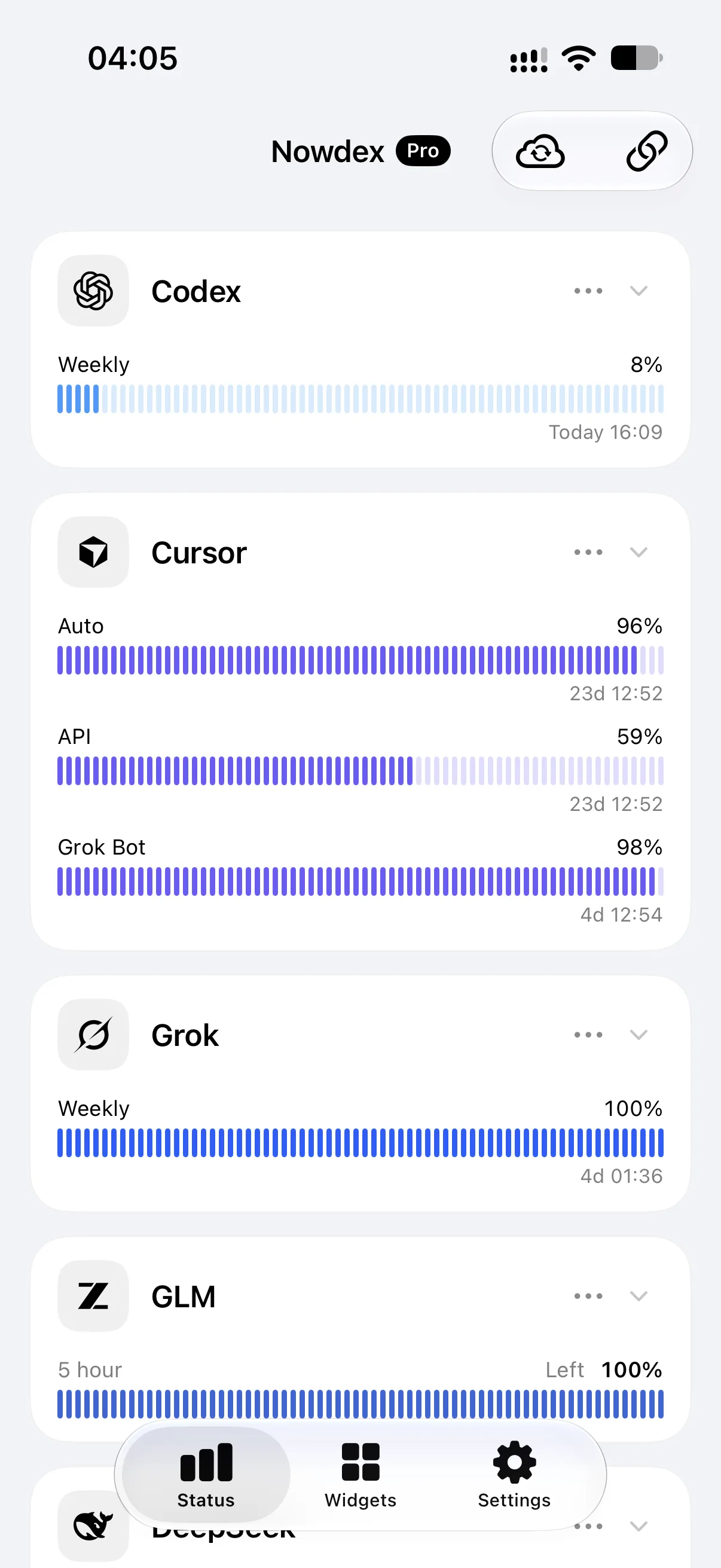
- 3. Check remaining usage and reset times in Status — or pin them to the Home Screen.
Keep remaining usage on the Home Screen.
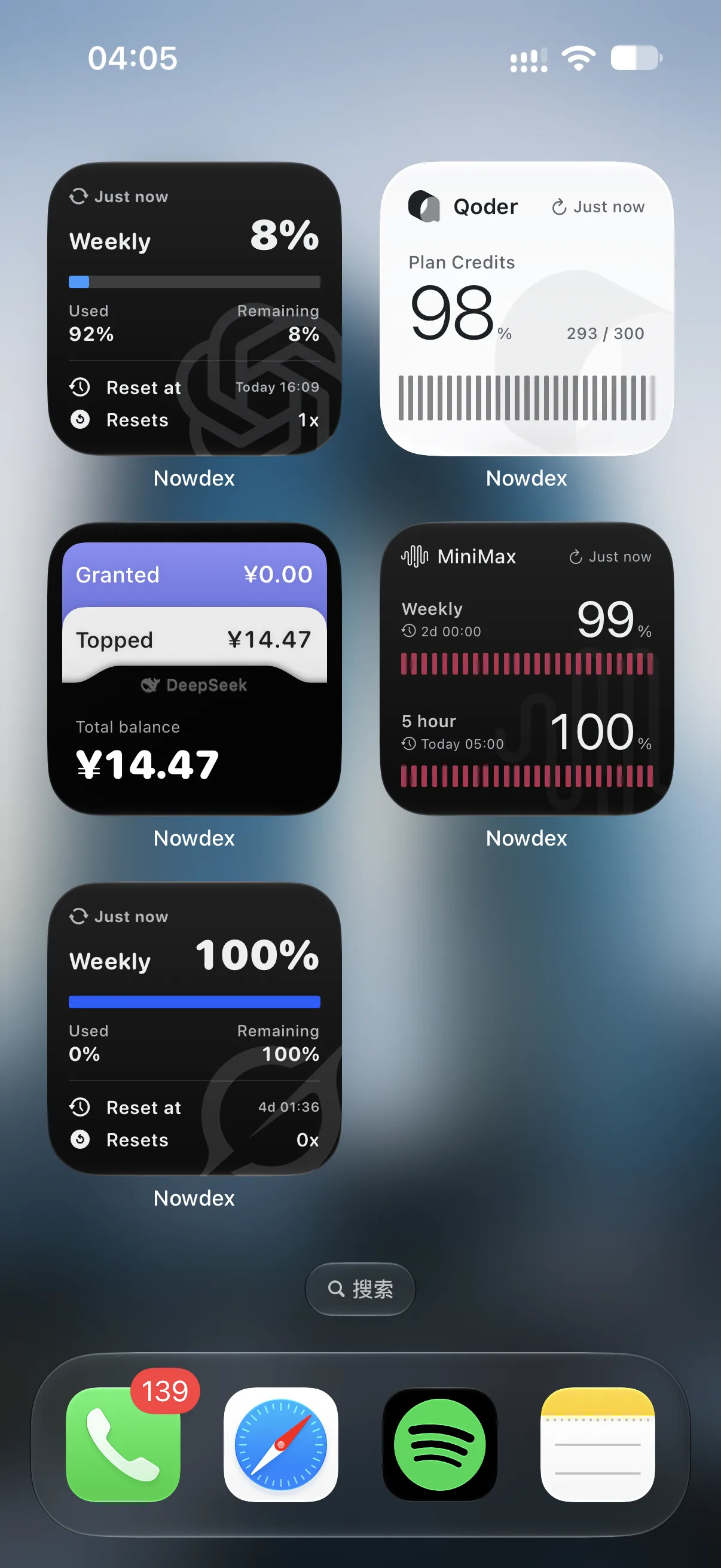
One place for multiple providers.
Connect Codex, Claude, Cursor, and others. Nowdex shows remaining usage and reset times together — you do not have to open each site.
 Codex
Codex Claude
 Cursor
 Grok
Grok Kimi
Kimi GLM
GLM MiniMax
 Qoder
Qoder DeepSeek
 OpenCode Go