Menu-bar usage trackers vs. an iPhone app: which do you need?
Mac menu-bar trackers are great at the desk. Here is when a native iPhone app for AI usage is the better fit — and why Nowdex does both.
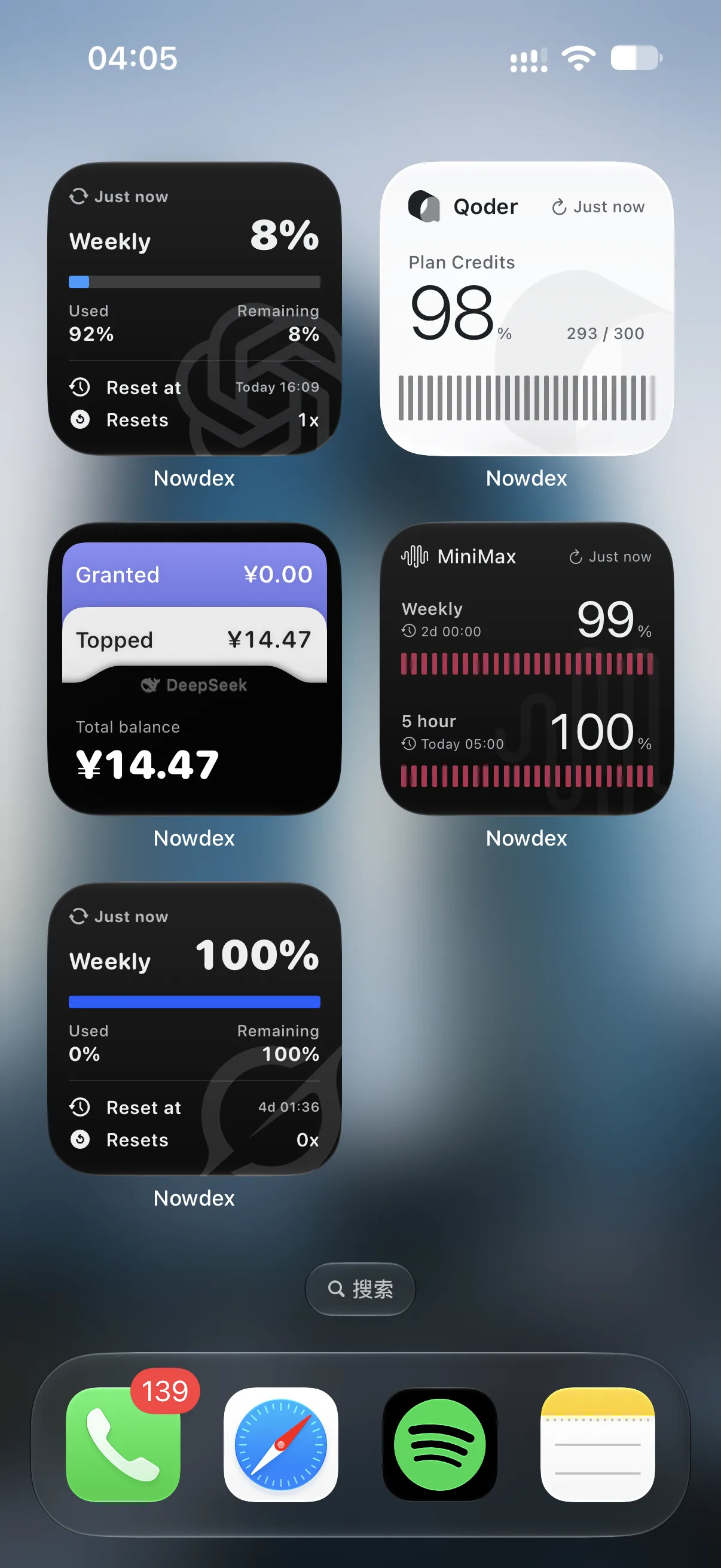
If you use coding agents on a Mac, you may already run a menu-bar tracker. Nowdex itself was inspired by one — CodexBar, an excellent open-source menu-bar app. So this is not a “menu bar bad” post. It is about where you are when you need the number.
What a menu-bar tracker is good at
- Always in view at the desk. A percentage next to the clock is hard to beat while you work.
- No extra device. It lives where your agents run.
- Zero friction. One click shows the details.
Where it falls short
A menu-bar app lives on the Mac, and usually needs that Mac app installed and running. That is fine at your desk, but more of agent work now happens away from it:
- You kick off a remote agent task from your phone.
- You review a pull request on the iPad on the couch.
- Your laptop is closed in a bag and you want to know if there is room for one more run.
In those moments the menu bar is out of reach.
What an iPhone app adds
| Menu-bar only | Nowdex | |
|---|---|---|
| Where it runs | Mac | iPhone and iPad natively, plus the Mac menu bar |
| Needs a Mac running | Typically yes | No |
| Home Screen and Lock Screen widgets | No | Yes |
| Setup across devices | Per Mac | Once, with iCloud Sync (Nowdex Pro) |
| Where credentials live | Depends on the app | Device Keychain (and iCloud Keychain with sync) |
Why Nowdex does both
Nowdex started on iPhone and iPad so remaining usage is available when the Mac is not. It also has a Mac menu bar: pick up to two metrics from one account to show next to the clock, with today’s token usage and the last seven days of cost one click away.
Because provider setup can sync through iCloud, you connect accounts once and see the same accounts everywhere. Credentials stay in your Keychain; usage is fetched on each device directly from the provider.
Which should you choose?
- You only ever check at your desk: a menu-bar tracker is enough.
- You run or review agents from your phone or iPad: you want the number there too. Start with remaining usage on iPhone.
- Both: use Nowdex on iPhone, iPad, and Mac with the same accounts.